AI Smart Card
AI Smart Card: Turn ChatGPT, Claude and Gemini Links Into Usable Notes
Save a ChatGPT, Claude or Gemini link in LinkBook and it becomes an AI smart card: the prompt, a preview of the answer, the sources the chat cites, and buttons to copy them or save them to your notes.
You save a ChatGPT, Claude or Gemini link because something in it was worth keeping: a reading list, an explainer with sources, a draft outline. A week later it is just an address, and to use it you have to open the whole conversation again to find out:
- What the prompt was, and what the assistant answered.
- Which sources it cited, so you can put the ChatGPT source links in your notes.
- Which sites it relied on, and whether you trust them.
- Whether it made an image you want to keep.
A plain bookmark keeps none of that. An AI smart card in LinkBook keeps it on the saved link, so you can check and reuse the chat without reading it all again.
Try LinkBook on iPhone
Install LinkBook, share a ChatGPT, Claude or Gemini link to it, and open its Smart Card.

What an AI smart card is
LinkBook saves links, and for the sites it knows it adds a Smart Card: a preview with the details that matter for that site, and buttons for what you usually do next. For an AI chat, that means the prompt, the answer, the sources and the sites they come from. The same idea works for recipes, Airbnb stays and Reddit threads; this guide is about AI conversation links.
LinkBook makes AI smart cards for shared links from ChatGPT, Claude and Gemini, and also for Qwen and DeepSeek shared chats.
ChatGPT Smart Card for iPhone: save shared chats with sources, prompt preview and notes
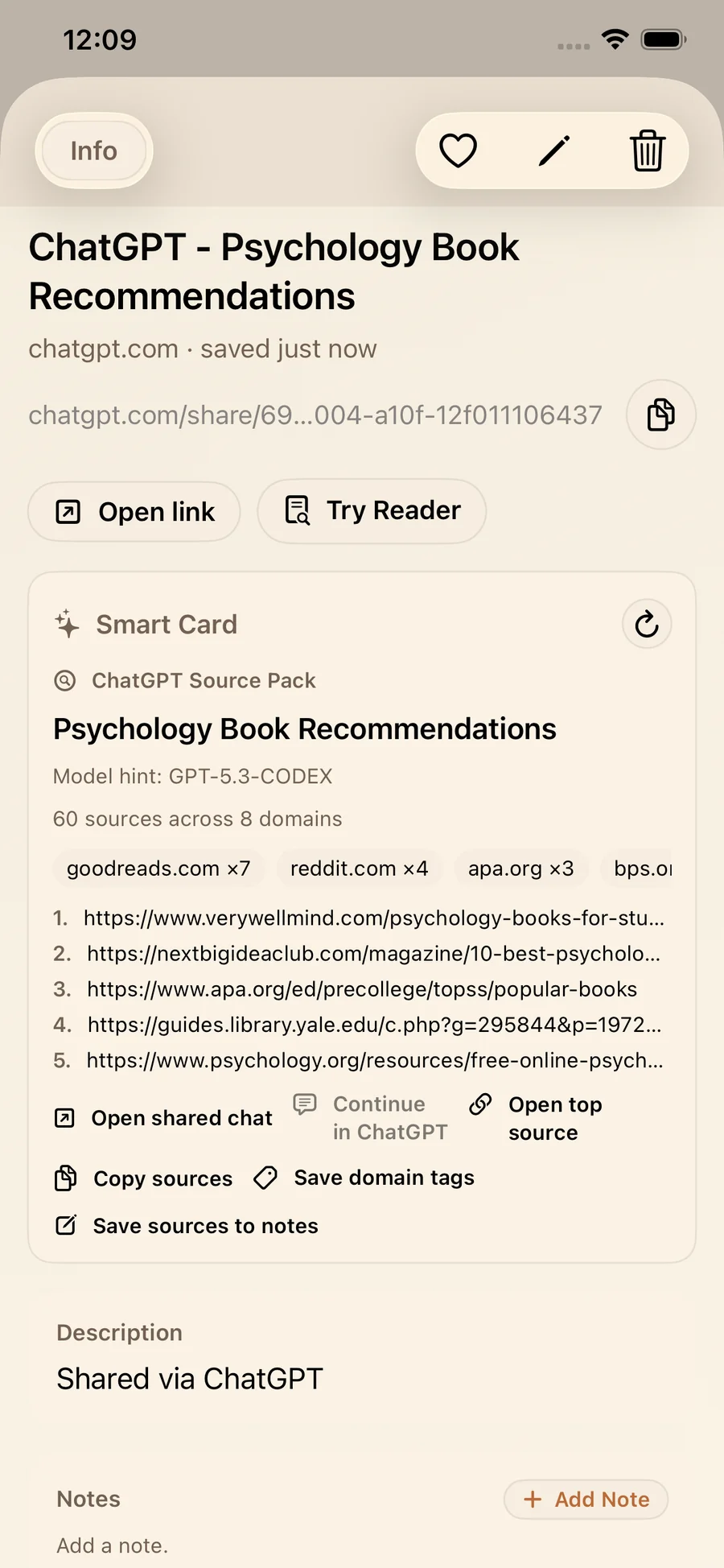
When you save a shared ChatGPT link, LinkBook makes a ChatGPT Source Pack. It puts the chat’s sources first, so you can check and copy the citations without rereading the conversation.
What the ChatGPT Source Pack shows
- The shared chat’s title, with how many sources and domains it cites.
- A preview of the prompt and of the answer.
- The model, when LinkBook can tell which one answered.
- The sites it cited most, and a numbered list of the source links.
Actions on the ChatGPT Source Pack
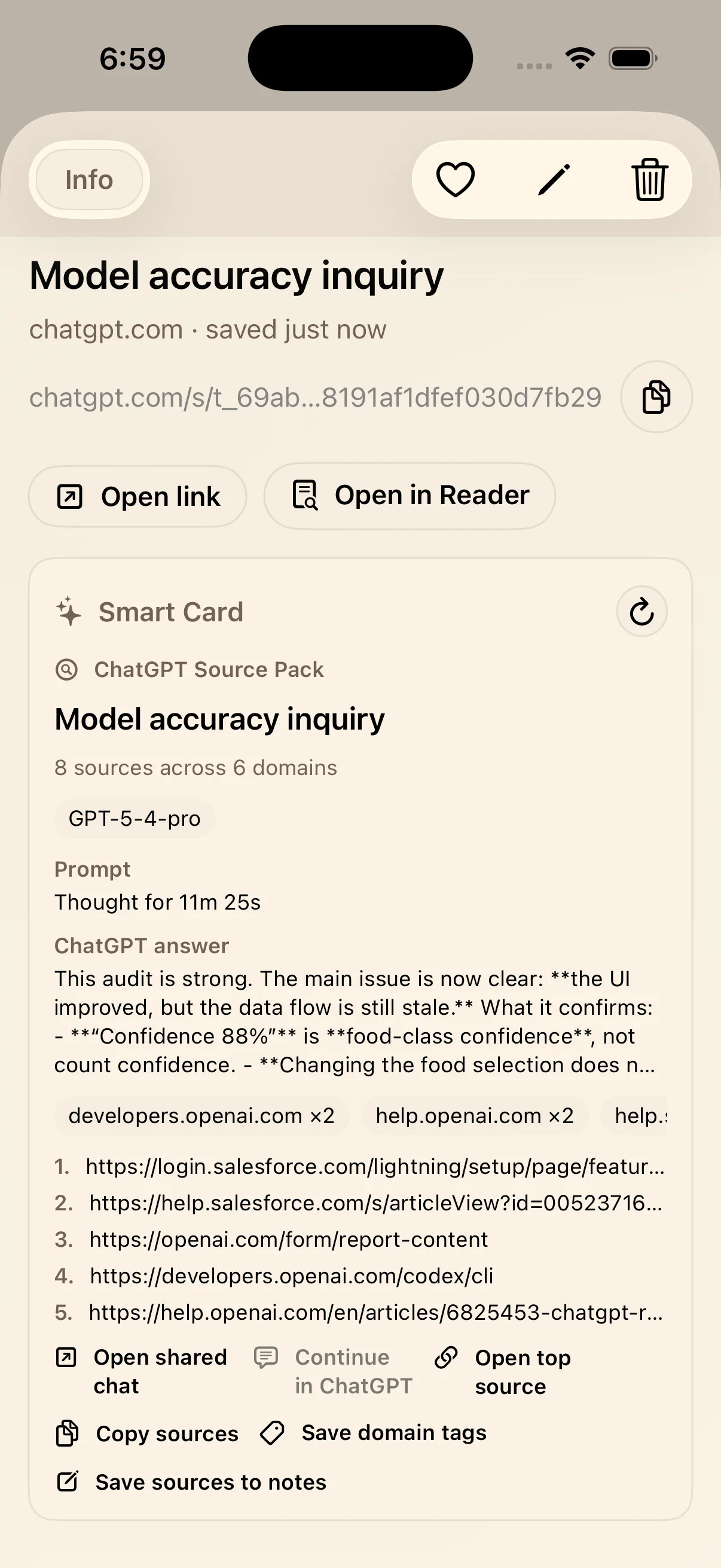
The card has Open shared chat, Open top source, Copy sources, Save domain tags and Save sources to notes. Copy sources gives you the citation list for a document. Save sources to notes turns it into a reading list on the link, where you can add your own comments, such as “read next” or “check the dates”.
Which ChatGPT links work
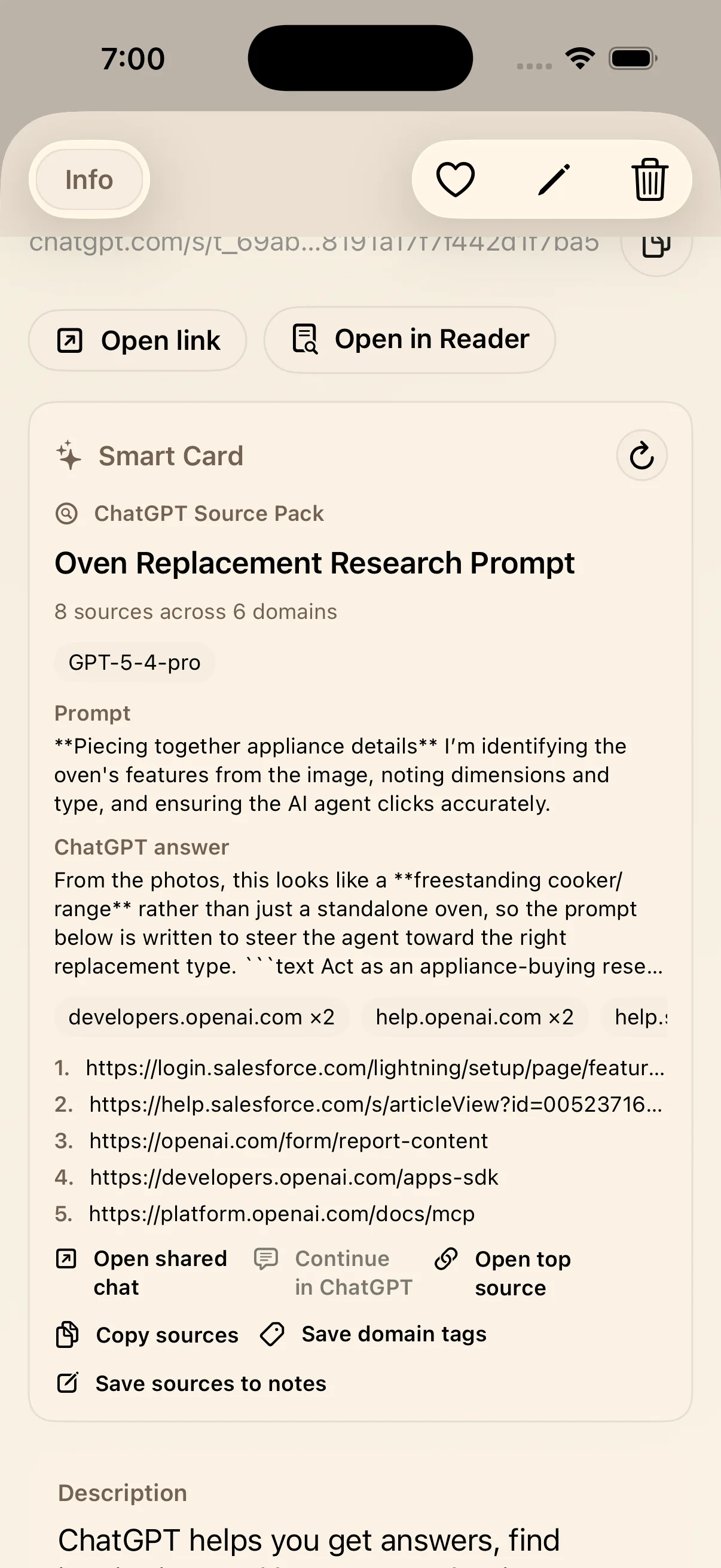
The card is for public shared chats: links whose path starts with /share/, /share/e/ or /s/. A private conversation link (/c/) is not a shared page, so it gets no Source Pack. If a shared chat has been deleted, LinkBook marks it as unavailable.
Example: a reading list you can cite
Ask ChatGPT for a reading list with sources, share the chat and save the link. The card shows which sites it leaned on; copy the citations, or save them to a note with a line on what each one is for.
Gemini Smart Card: the Gemini Insight Pack
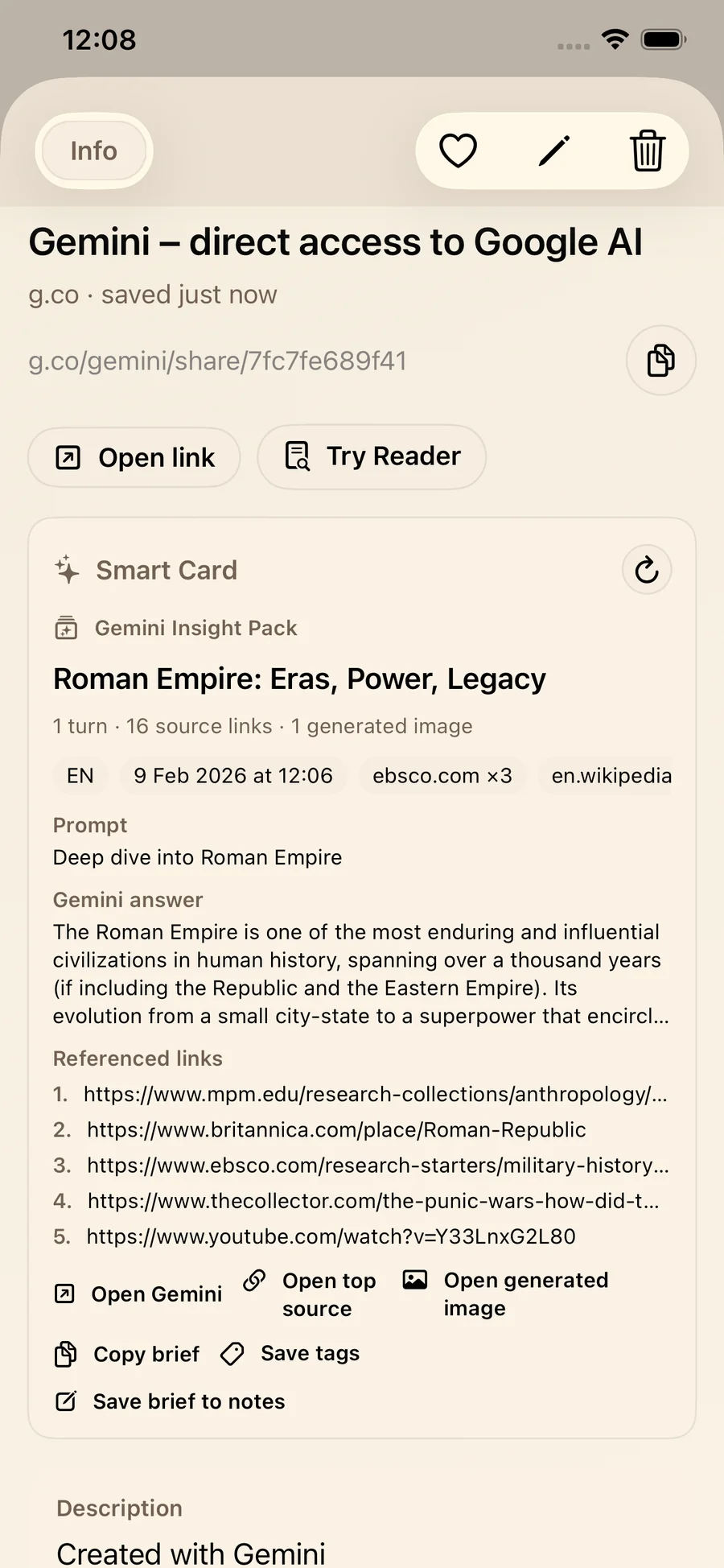
A Gemini shared chat usually holds a prompt, an answer, the links it referenced and sometimes a generated image. LinkBook’s card for it, the Gemini Insight Pack, is a short brief of the chat that keeps the sources and the image close at hand.
What the Gemini Insight Pack shows
- How many turns the chat has and how many links it references.
- The prompt and a preview of the answer.
- Generated images, when the chat has them.
- The sites it referenced most, and tags you can save.
Actions on the Gemini card
The card has Open Gemini, Open top source, Open generated image when there is one, Copy brief, Save tags and Save brief to notes.
Example: from a good answer to an outline
For an explainer, copy the brief into an outline, open the top source to check a claim, and save the brief to notes so your next session starts from it.
Claude Smart Card for iPhone: save Claude links, and why some look lighter than Gemini
Save a shared Claude link and LinkBook makes a Claude Source Pack, the same kind of card as ChatGPT’s: the chat’s title, its sources and the sites they come from, with Open shared chat, Open top source, Copy sources, Save domain tags and Save sources to notes.
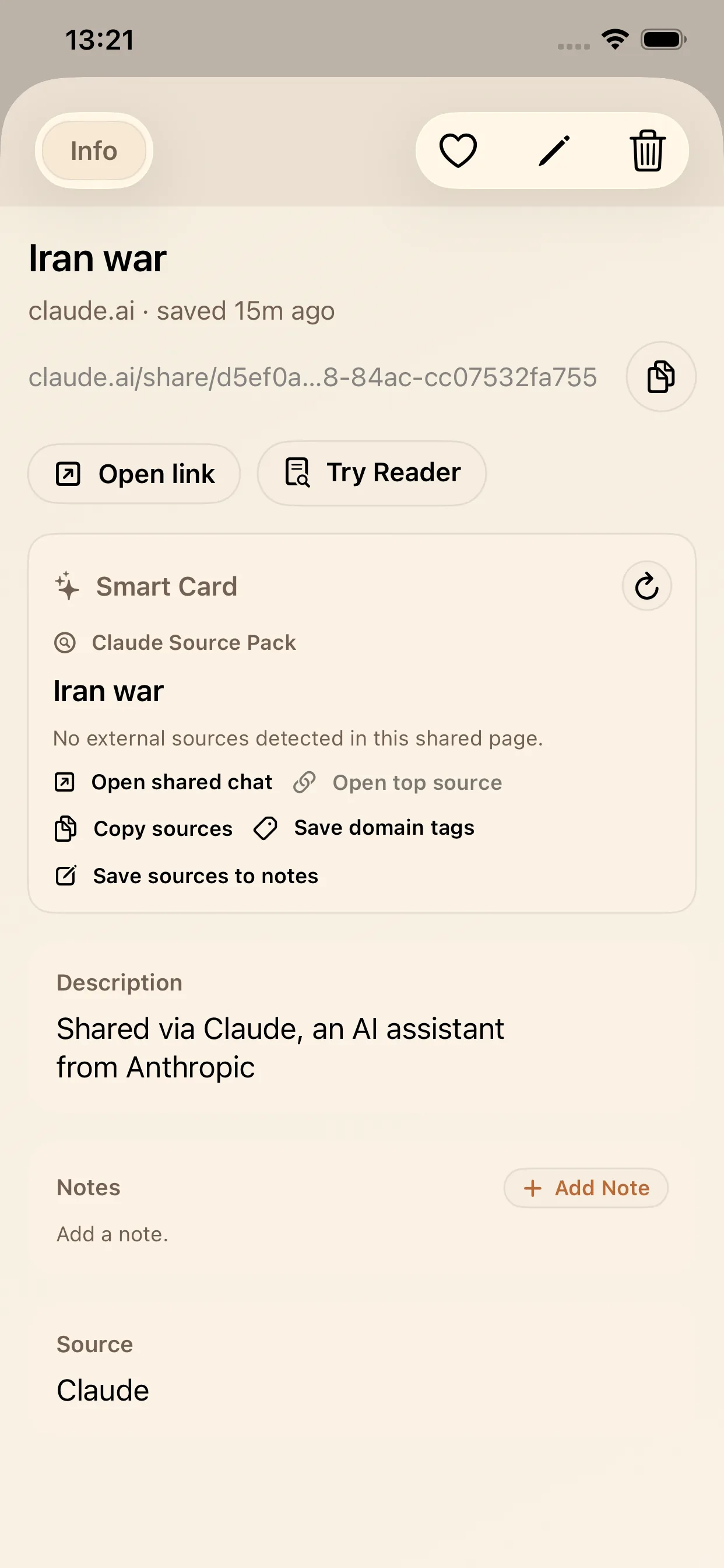
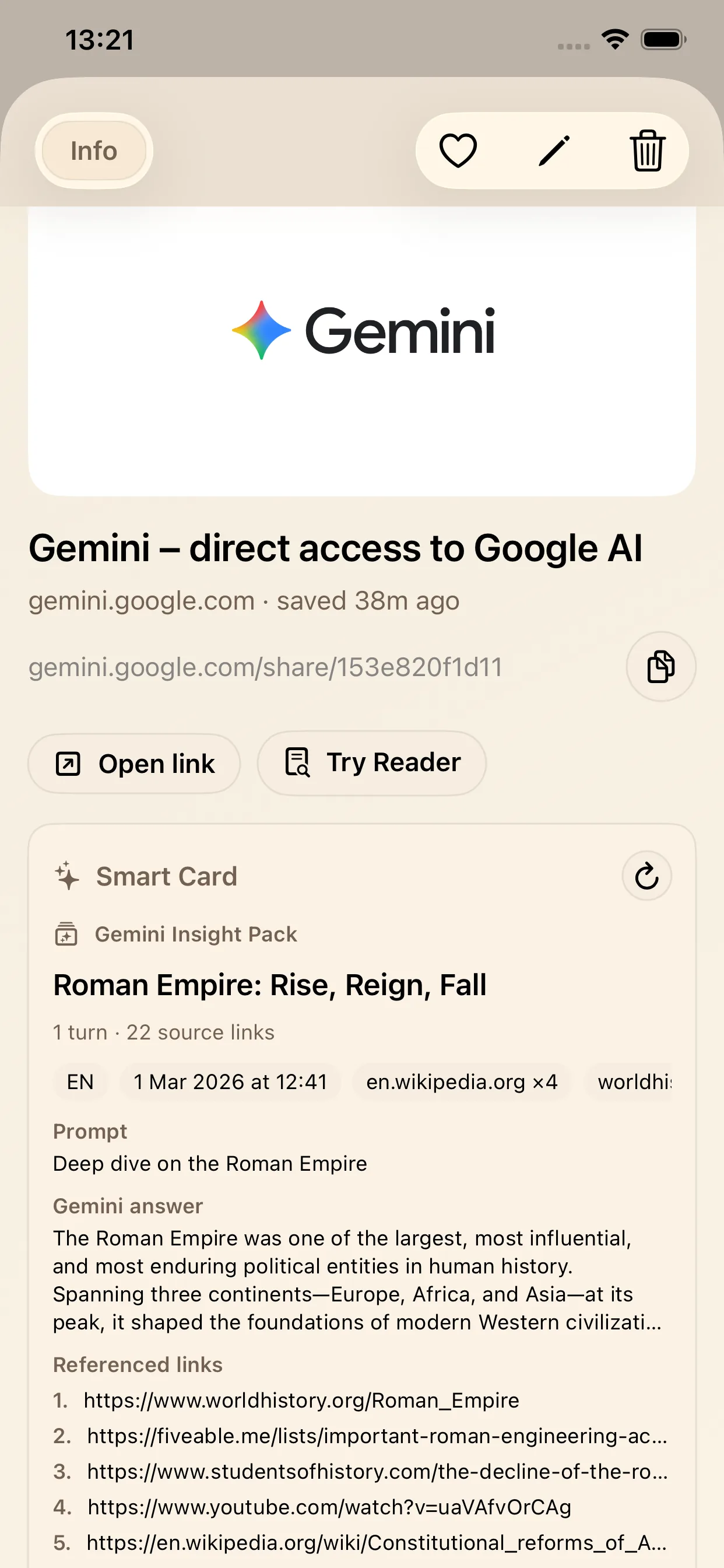
Some Claude cards look lighter than Gemini’s, and that comes from the shared page. Gemini’s shared pages usually include the prompt, the answer and the references; some Claude shared pages give much less. LinkBook then shows a shorter Claude card instead of an empty one, and its buttons still work. When a Claude page does include the prompt and the answer, the card shows them too.
Some Claude shares sit behind a browser check. The card then shows Verify in Claude: finish the check on the page and tap Unlock smart card.
If the shared Claude chat is a recipe, LinkBook can show it as a recipe card with ingredients, steps and Cook Mode instead. See saving Claude recipe links.
ChatGPT Source Pack vs. Gemini Insight Pack
All three cards save the chat, but they lead with different things. The ChatGPT and Claude Source Packs lead with sources: start there when your next step is to cite, check or collect references. The Gemini Insight Pack leads with the prompt and the answer, with the sources and images under them: start there when your next step is to summarize, outline or reuse the answer.
A workflow for AI research in LinkBook
1) Save the link while you remember why
Share the chat and save it to LinkBook right away, while you still know what it was for.
2) Read the Smart Card before you reopen the chat
On ChatGPT and Claude links, look at the top domains and the source list. On Gemini links, read the Insight Pack’s prompt and answer preview, then the number of sources.
3) Turn the useful parts into notes and tags
On ChatGPT and Claude links, Copy sources puts them in your document, Save sources to notes makes a reading list on the link, and Save domain tags lets you filter later by journal, organization or publisher. On Gemini links, the Insight Pack’s Copy brief goes into an outline or a draft, Save brief to notes keeps it with the link, and Save tags lets you find it again by topic or project.
4) Verify at least one source before you rely on it
The card makes checking quicker, but you still have to do it: tap Open top source and see whether the page says what the chat claims.
After a few weeks you have a library of notes, sources and tagged briefs, which is most of what people want from a knowledge management app.
Who this is for
AI smart cards help most when you come back to what you save: students collecting explainers and reading lists with citations they can use, researchers keeping sources next to summaries and prompts, writers building briefs and outlines, and teams saving prompt experiments and drafts.
Limits and good habits
Limits
- A chat that cites no sources gives the card no citations to show.
- The mix of domains is a hint about credibility, not a verdict.
- Some actions depend on what the shared page includes.
- Generated images appear only when the chat has them.
- Private chats are not covered: share the chat first.
Good habits
- Add one line of context to the note, such as “use for chapter 4” or “verify dates”.
- Tag by what you will do with it (to cite, to read, to outline), not only by topic.
- Open at least one source before you share, publish or hand in work.
Save your next AI chat
The next time ChatGPT, Claude or Gemini gives you an answer worth keeping, share the chat and save the link in LinkBook. The Smart Card does the first pass, and you keep what matters as notes, tags and sources. Get LinkBook on the App Store.
FAQ
How do I save ChatGPT source links for citations later?
Save the shared ChatGPT link in LinkBook and open its ChatGPT Source Pack. Copy sources gives you the citation list, and Save sources to notes turns it into a reading list on the link that you can add comments to.
How do I save a ChatGPT shared chat on iPhone?
Share the chat in ChatGPT to get a public link, then share that link to LinkBook and tap Post. Links whose path starts with /share/, /share/e/ or /s/ become a ChatGPT Source Pack with the prompt and answer previews and the sources.
Does the ChatGPT Smart Card work with private ChatGPT conversations?
No. It works with public shared chats, not private conversation links (/c/). Share the chat first, then save the shared link.
What is the Gemini Insight Pack in LinkBook?
It is LinkBook’s Smart Card for Gemini shared chats. It shows the prompt and a preview of the answer, the number of turns, the referenced links and any generated image, with actions such as Copy brief and Save brief to notes.
Why does the Claude Smart Card sometimes show less than Gemini?
Some Claude shared pages include less preview information than Gemini’s. LinkBook then shows a lighter Claude Source Pack that keeps the main actions instead of an empty card, and a fuller one when the page includes the prompt and the answer.
What is a simple AI research workflow that keeps things verifiable?
Save the chat in LinkBook right away, read the Smart Card for its sources and context, turn the useful parts into notes and tags, and open at least one source to check the main claims before you rely on them.
Ready to build your link library?
Download LinkBook and start saving in seconds.