Zillow Smart Card
Zillow Smart Card: A cleaner way to save and compare listings on iPhone
The Zillow Smart Card in LinkBook turns saved listings into short summaries you can compare without reopening every tab.
In this guide
- Why plain Zillow bookmarks break down during real estate research.
- What the Zillow Smart Card shows for a listing.
- Missing critical info and the Rent vs Buy comparison.
- A way to compare listings on iPhone.
Saving Zillow links is easy; remembering why you saved each one is harder. A week into a home search, your iPhone is full of tabs, screenshots and bookmarks that look the same until you open each one again.
The Zillow Smart Card in LinkBook turns a saved Zillow link into a summary of the listing that you can scan, search and compare later. The same card works for Redfin and Realtor.com listings.
Try LinkBook on iPhone
Install LinkBook and share a Zillow listing to it to see its Smart Card.

What is a Smart Card?
A Smart Card is a summary attached to a saved link. Instead of only the address, LinkBook shows supported links as cards with the details you check later, laid out the same way every time.
The listing page is still the source; the card is what you read in your library.
- You see the main details without reopening the page.
- Search can use the card’s details as well as the address.
- Listings are easier to compare because every Smart Card has the same layout.
- Your saves add up to a record of your real estate search.
Smart Cards cover many kinds of links, but they help most with real estate, where you compare the same fields again and again.
Why real estate links are harder to manage
Real estate research repeats itself, and the stakes are high:
- Every listing is multi-variable: price, est./mo, beds, baths, sqft, and location.
- Critical details can be missing, hidden, or hard to verify.
- Comparison happens over time as you revisit listings before tours.
Plain bookmarks don’t hold up to that. What helps is a real estate link organizer that keeps those details with each listing and lays them out the same way.
What the Zillow Smart Card does in LinkBook
Where saved listings go wrong
When you save Zillow links on iPhone, three problems come up quickly:
- Details spread across pages that you forget.
- Unverified essentials like fees, taxes, or deposit context.
- Comparisons that mean reopening the same tabs again and again.
What the card shows
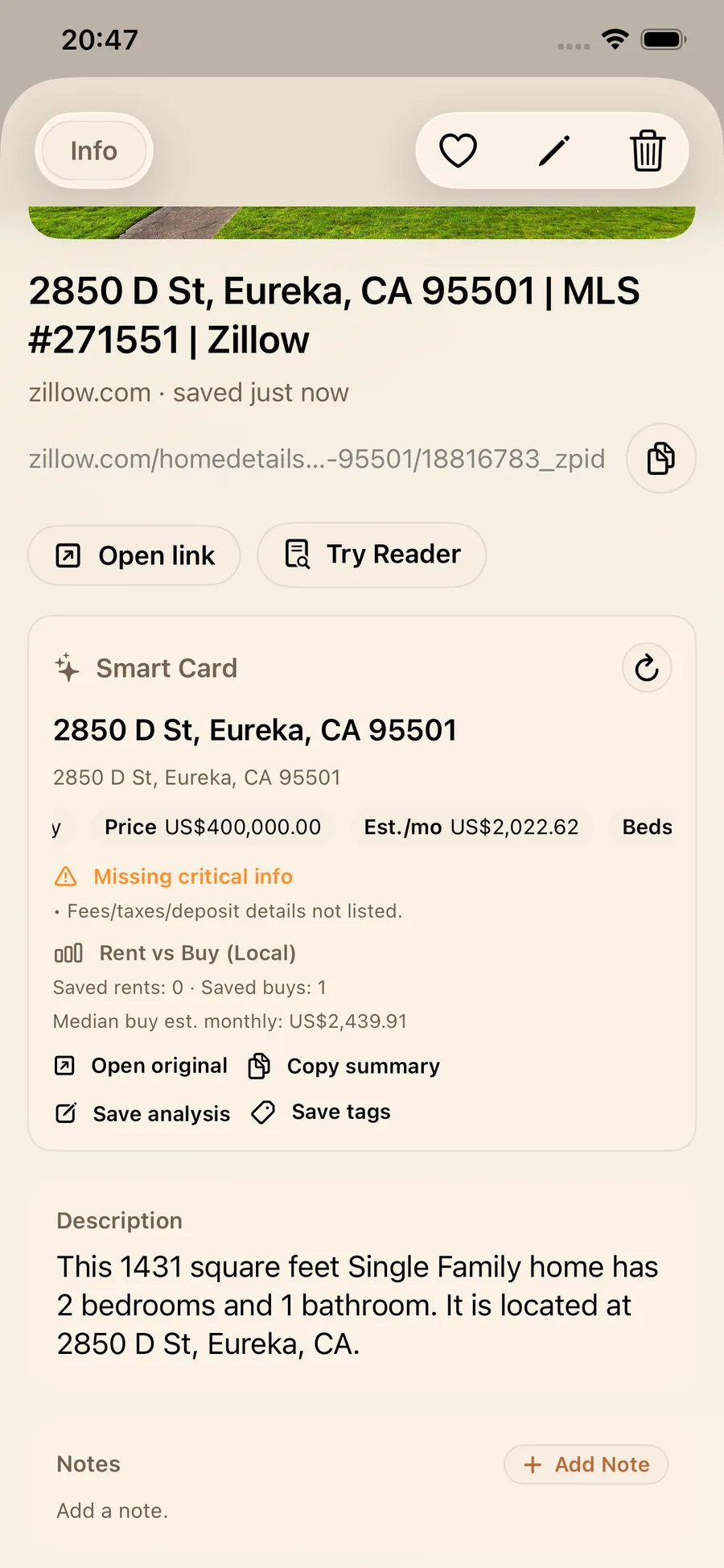
For Zillow links, the Smart Card shows:
- Listing intention: buy vs rent.
- Price and estimated monthly cost.
- Beds, baths, and square footage.
- Address.
It also adds two sections:
- Missing critical info, which lists the essentials the listing leaves out, so you know what to check before comparing.
- Rent vs Buy (Local), a comparison worked out on your device from the listings you saved.
The actions are Open original, Copy summary, Save analysis and Save tags.
Your saved listings and notes stay on your device.
Walkthrough: comparing real estate listings with Smart Cards
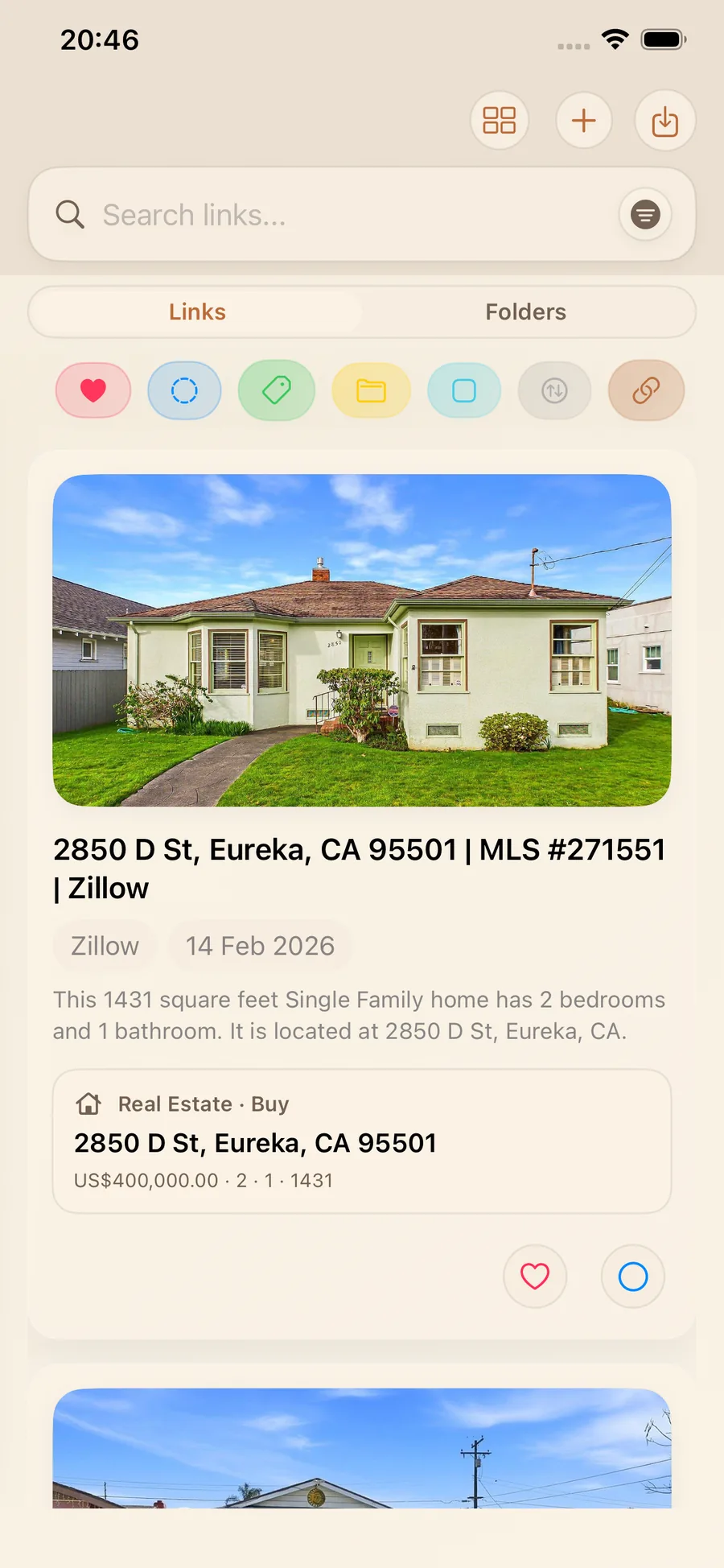
1) Save a listing and get a readable preview
In the Links list, each saved Zillow listing shows as a Smart Card with the property photo, the address and the main details.
2) Open detail view for full snapshot and flags
Tap a saved listing to see all of it: price, est./mo, beds, baths, sqft, and the Missing critical info list of what to check before you get attached.
3) Compare properties without reopening everything
Every Zillow Smart Card has the same layout, so you compare the fields side by side instead of rereading whole pages.
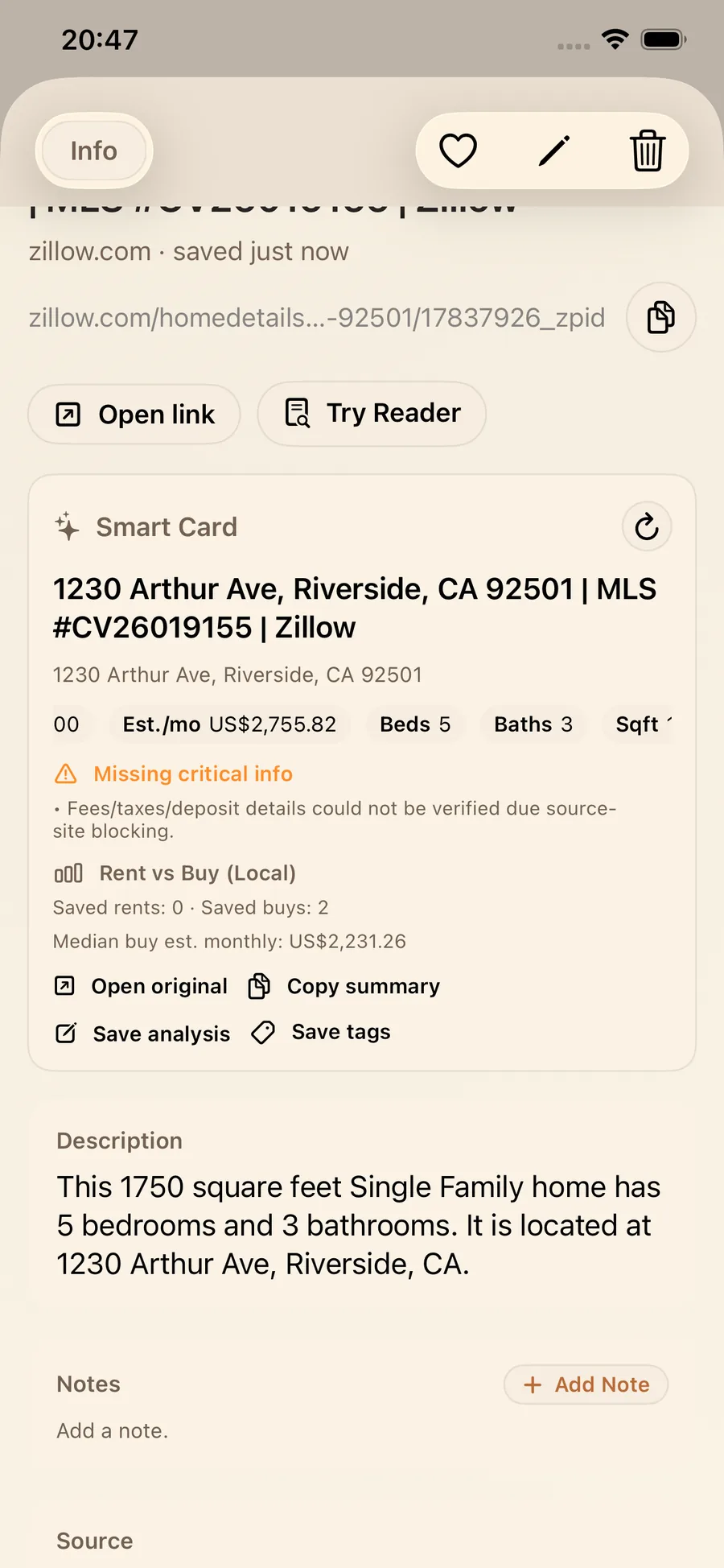
Use Save tags for groups such as Tour, Backup, Too small or Check fees, and Save analysis to note what you thought before the listings blur together.
What you get in practice
- A shortlist comes together faster when every listing shows the same fields.
- Comparing is easier with est./mo, size and layout lined up.
- Missing critical info shows the gaps.
- Copy summary puts a listing into Messages, Notes or a document.
- Weeks later, each saved listing still has its details.
Save a Zillow listing once and compare its Smart Card as often as you like.
FAQ
How do I organize Zillow links on iPhone?
Save each listing in LinkBook so the Zillow Smart Card keeps its main details with the link, then group listings with Save tags and folders, for example by status or priority.
What does the Zillow Smart Card show?
It can show whether the listing is to buy or rent, the price, the estimated monthly cost, beds, baths, square footage and the address, plus Missing critical info and a Rent vs Buy (Local) comparison from your saved listings.
Why does LinkBook say Missing critical info?
It appears when details such as fees, taxes or the deposit are missing from the listing or can’t be confirmed. Check them before you compare or commit.
What is the best way to compare rent vs buy from saved listings?
Save both rentals and homes for sale in LinkBook. The Rent vs Buy (Local) section compares them using your saved listings, and every card has the same layout, so you can read them side by side.
Try Smart Cards in your next Zillow session
Next time you are house hunting, add the listings you like to LinkBook, let the Zillow Smart Card summarize each one, tag your favorites, and use Missing critical info as your list of things to check.
Ready to build your link library?
Download LinkBook and start saving in seconds.